Kritvia for shop
Retail stores, showrooms, wholesalers
Customers get quick answers about products, stock and prices from your rate card, credit customers get polite payment reminders, and pleased customers are asked for a Google review.
Pick this at sign-up
- Start your free trial at app.sitelytc.com (see Set up your business, step by step for sign-up).
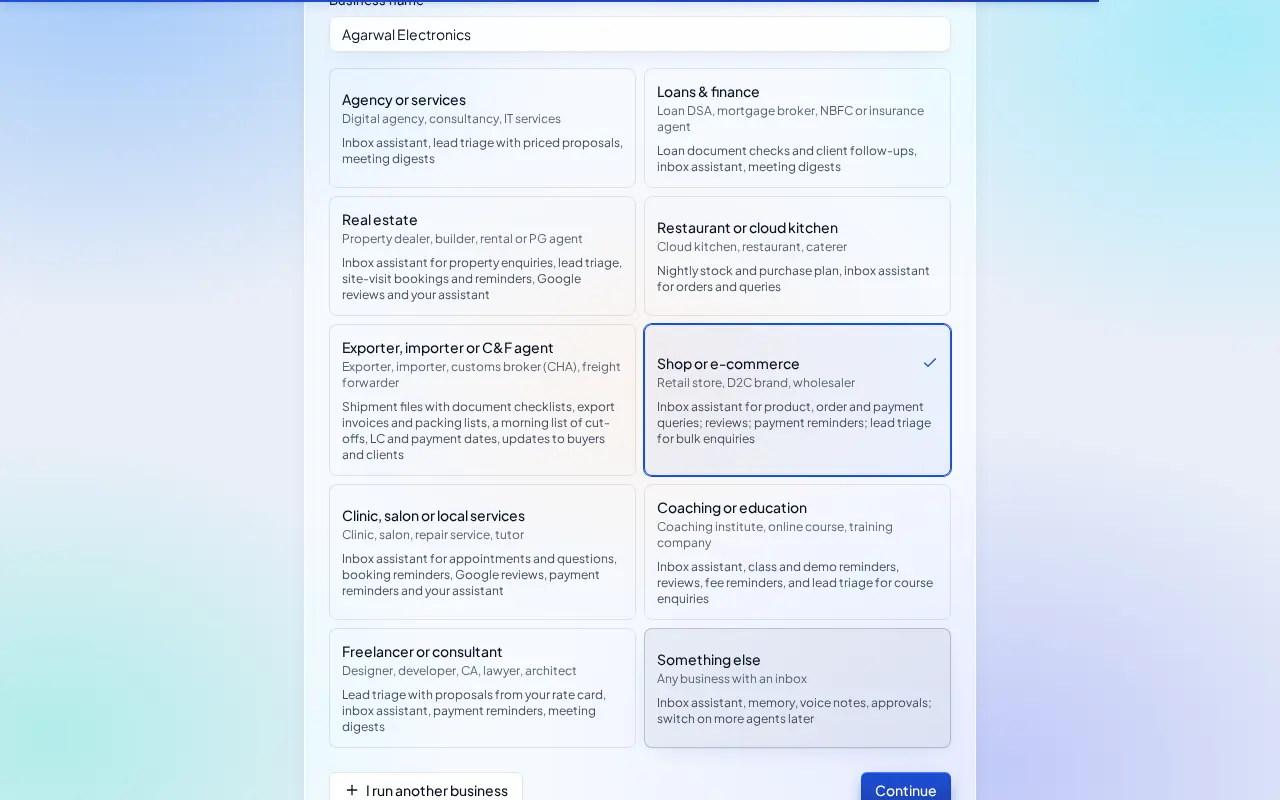
- Type your business name.
- Pick the Shop or e-commerce card and click Continue.
What switches on
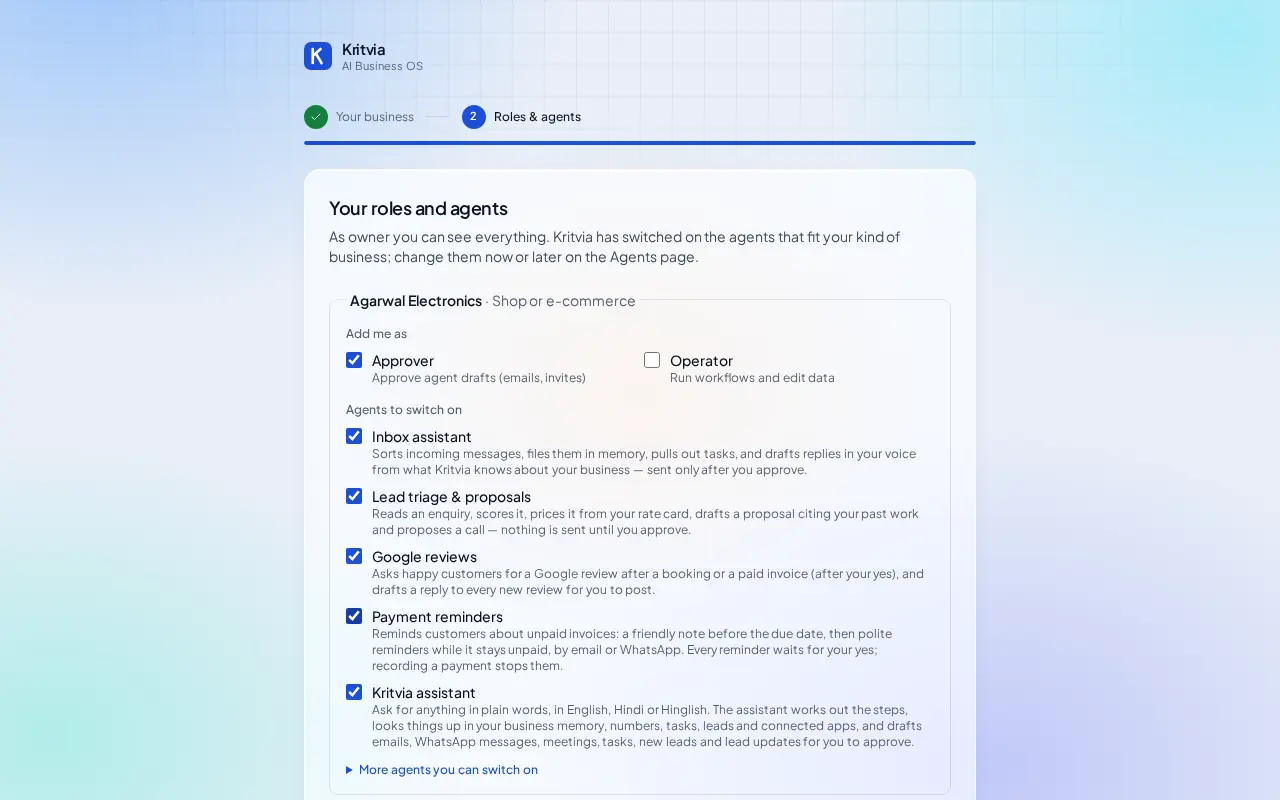
- Inbox assistant: answers product, stock, delivery and payment questions. It never promises a refund; it says the team will confirm.
- Lead triage & proposals: prices bulk enquiries from your rate card.
- Google reviews: drafts replies and asks pleased customers for a review.
- Payment reminders: reminds credit customers about what they owe.
- Kritvia assistant.
Then choose Autopilot (agents reply, remind and follow up by themselves; money, complaints and orders still come to you) or I'll approve everything, and click Finish setup.
Set up
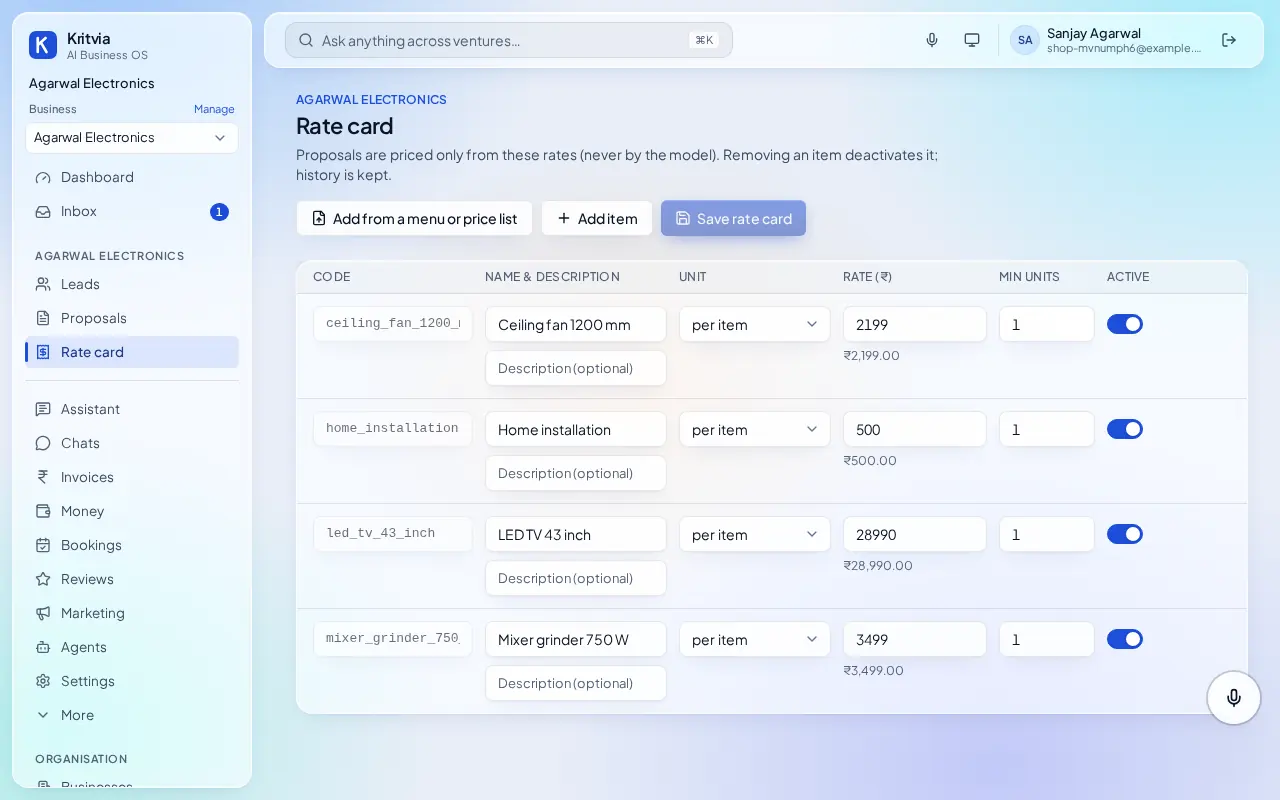
- Rate card: your products and services with prices; Add from a menu or price list reads a price list photo, PDF or spreadsheet.
- Getting paid (Settings → Connectors → Getting paid): enter your UPI ID so every invoice gets a payment page.
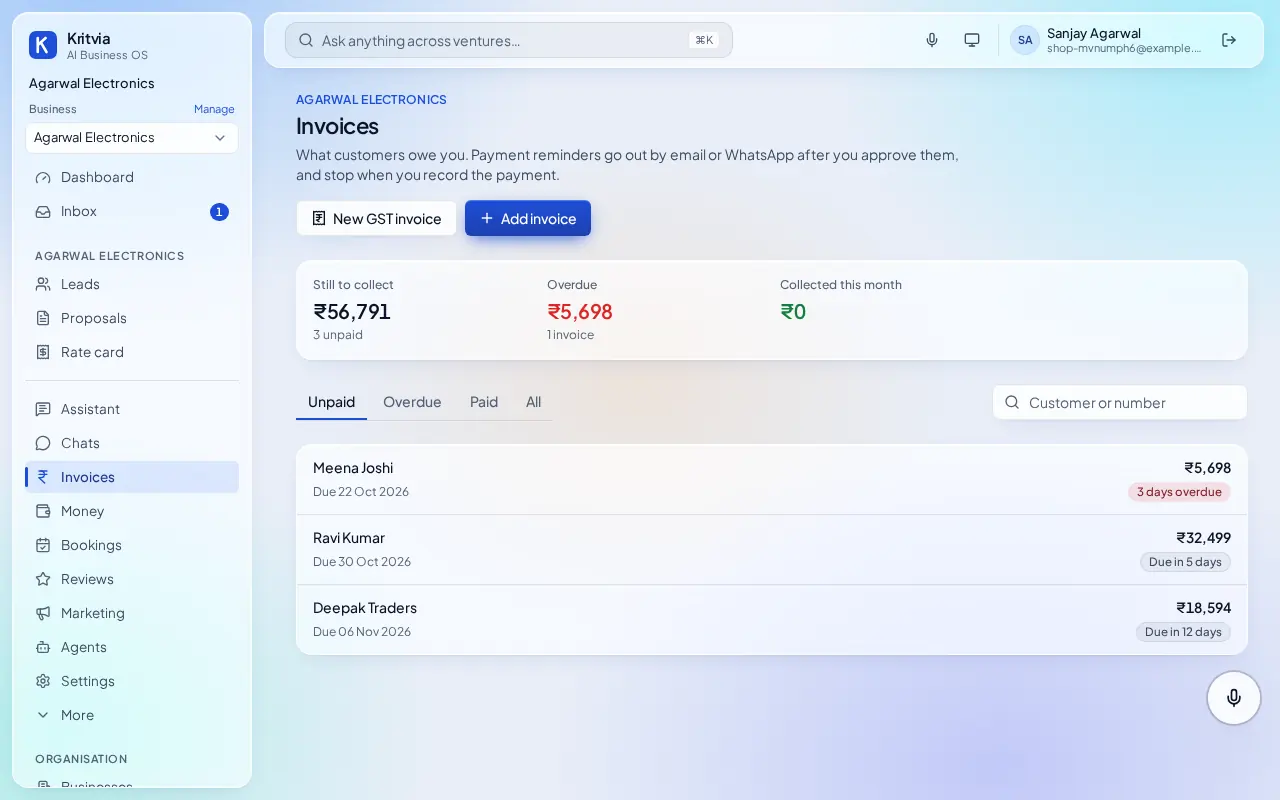
- Invoices → Add invoice for each customer who buys on credit: amount and due date. Each gets a payment page to share.
- Connect WhatsApp (Settings → Connectors → WhatsApp Business): log in with Facebook and pick your number; the WhatsApp Business app keeps working on your phone.
- Set up your phone and invite your team as in the general guide.
Every day
- Invoices shows what's unpaid and overdue; reminders go out after your yes (the first two by themselves with autopilot, from Starter).
- Money shows who owes you and for how long.
- Reviews shows new Google reviews with a reply drafted.
Which plan you need
Invoices, reminders and reviews on every plan; WhatsApp and Razorpay from Starter.