Kritvia for freelancer
Designers, developers, writers, photographers
Enquiries become priced proposals from your own rate card, and clients who owe you get polite reminders, so you spend your time on the work.
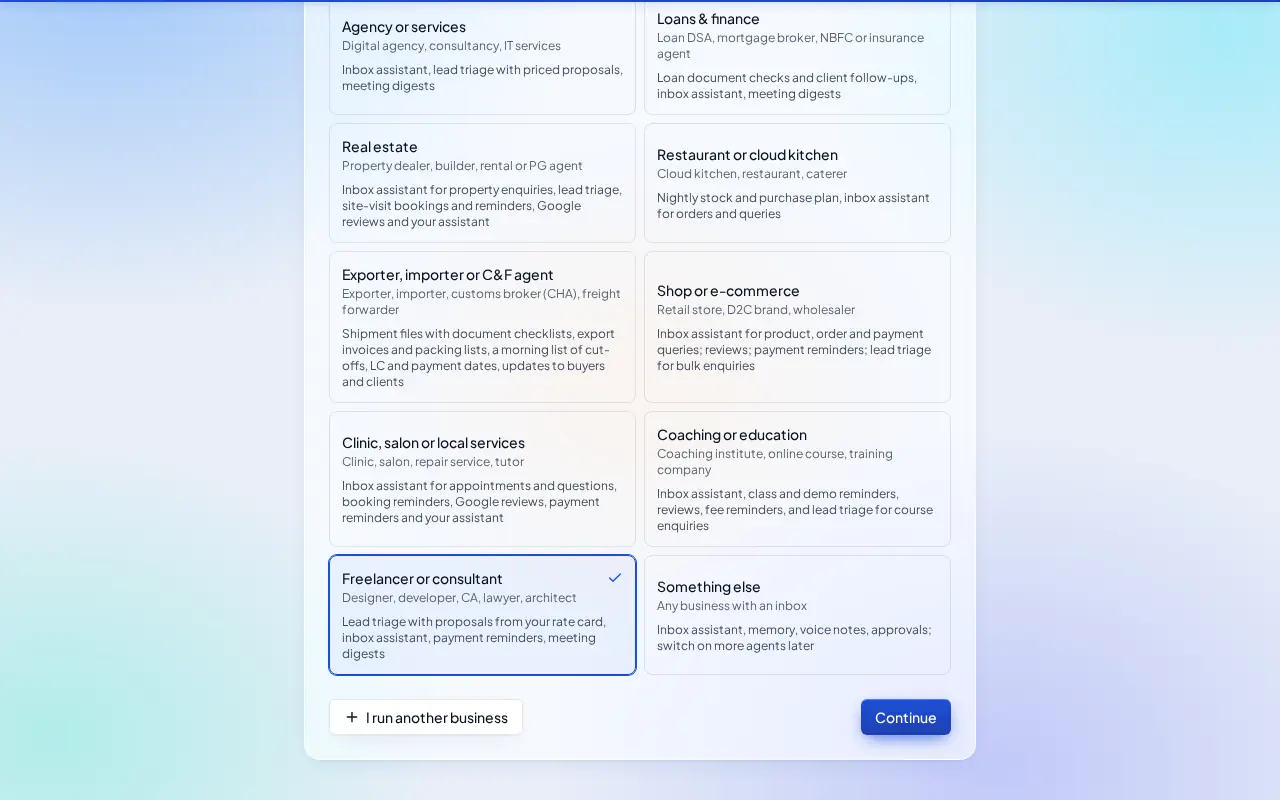
Pick this at sign-up
- Start your free trial at app.sitelytc.com (see Set up your business, step by step for sign-up).
- Type your business name.
- Pick the Freelancer or consultant card and click Continue.
What switches on
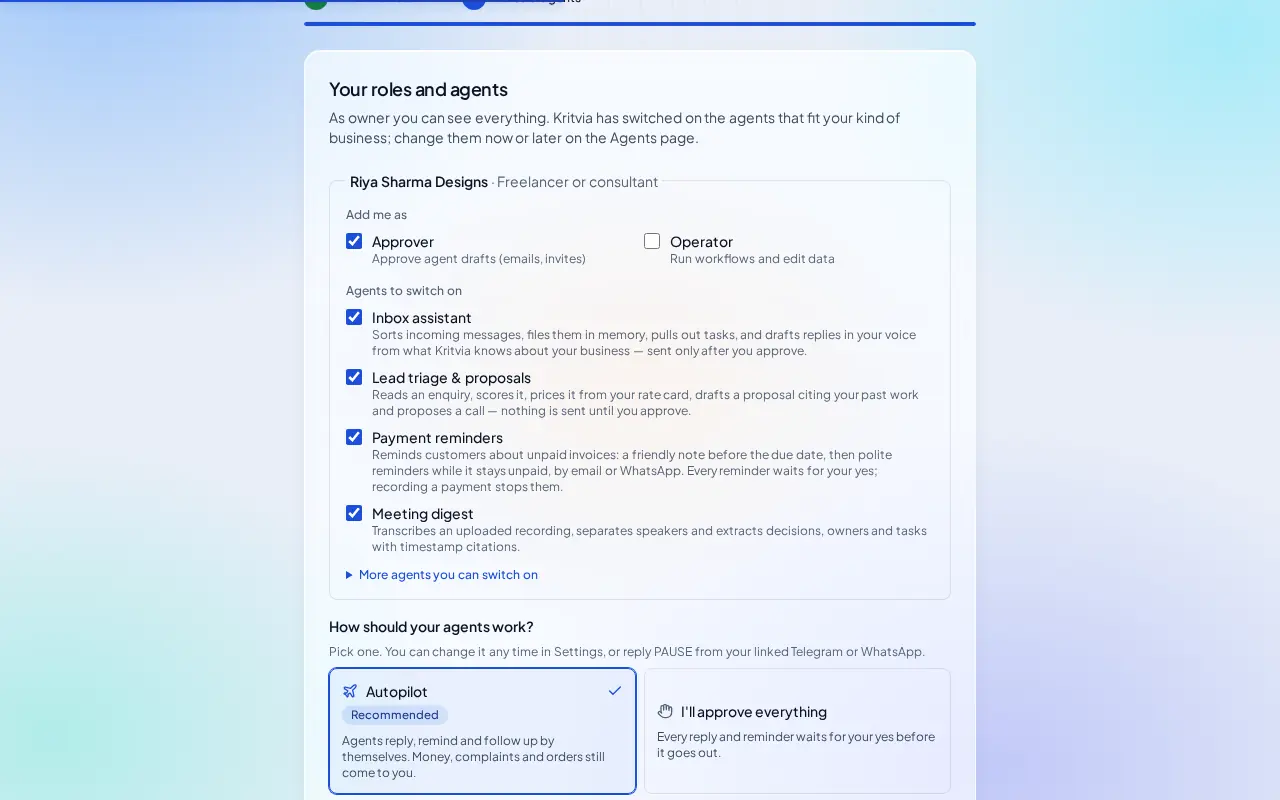
- Inbox assistant, Lead triage & proposals, Payment reminders and Meeting digest.
Then choose Autopilot (agents reply, remind and follow up by themselves; money, complaints and orders still come to you) or I'll approve everything, and click Finish setup.
Set up
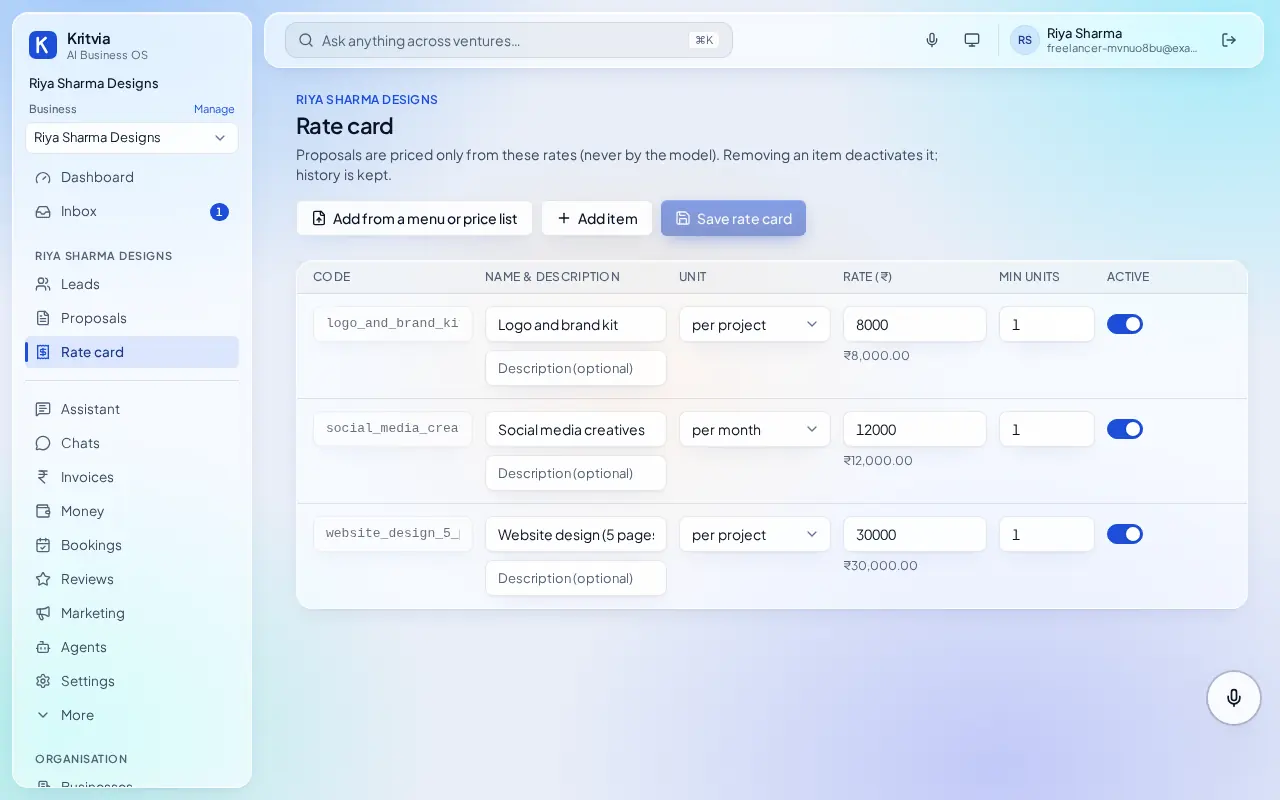
- Rate card: your services, for example Logo and brand kit, per project, ₹8,000; Social media creatives, per month.
- Connect Gmail (Settings → Connectors → Connect Google).
- Knowledge: upload your portfolio PDF and a past proposal.
- Getting paid (Settings → Connectors → Getting paid): enter your UPI ID so every invoice gets a payment page.
- Set up your phone and invite your team as in the general guide.
Every day
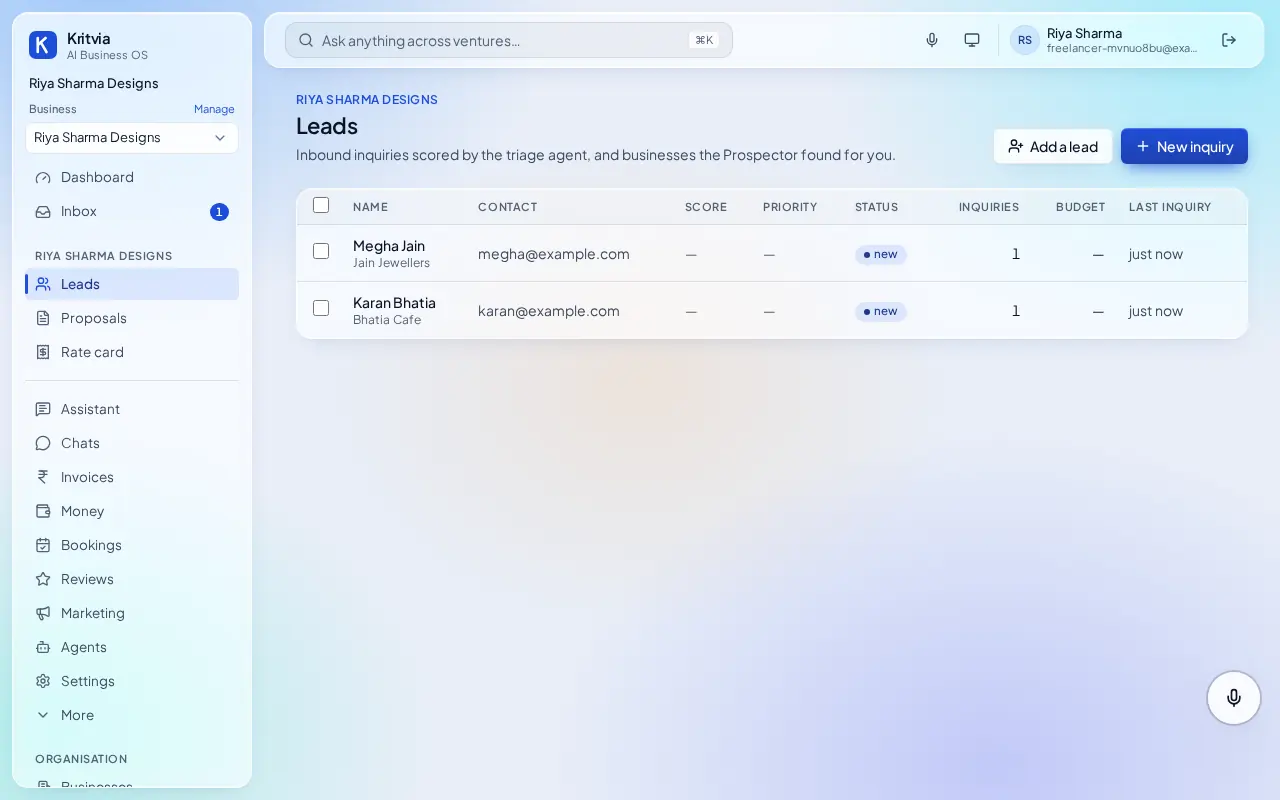
- New enquiries under Leads with a priced proposal in Inbox.
- Raise an invoice when you deliver; reminders go out after your yes.
- Client call notes from Meetings.
Which plan you need
Everything here works on the trial; Starter adds WhatsApp and Google Calendar.