Kritvia for chartered accountant (CA)
CA firms, tax and GST practitioners, accountants
Client questions are answered from your fee card and documents, consultations are booked in the chat, and your own fees get GST invoices and polite reminders.
Pick this at sign-up
- Start your free trial at app.sitelytc.com (see Set up your business, step by step for sign-up).
- Type your business name.
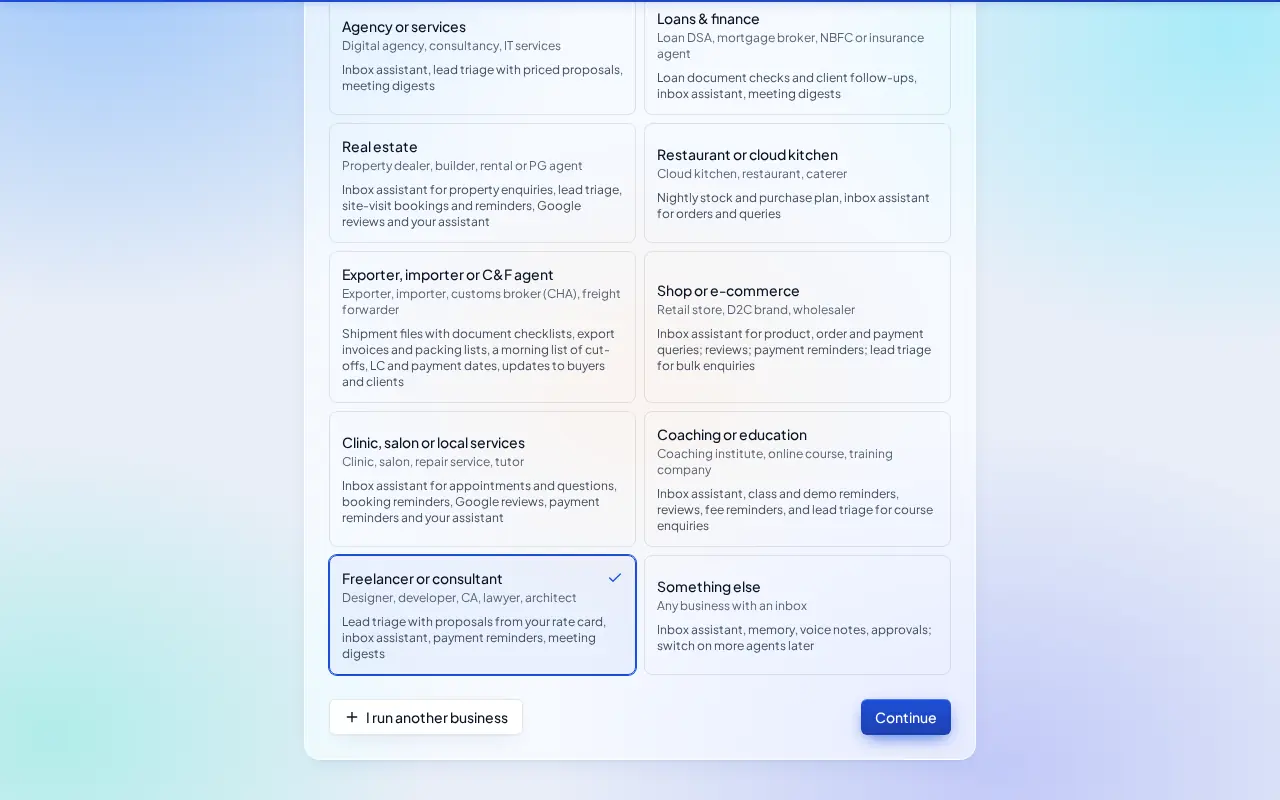
- Pick the Freelancer or consultant card and click Continue.
What switches on
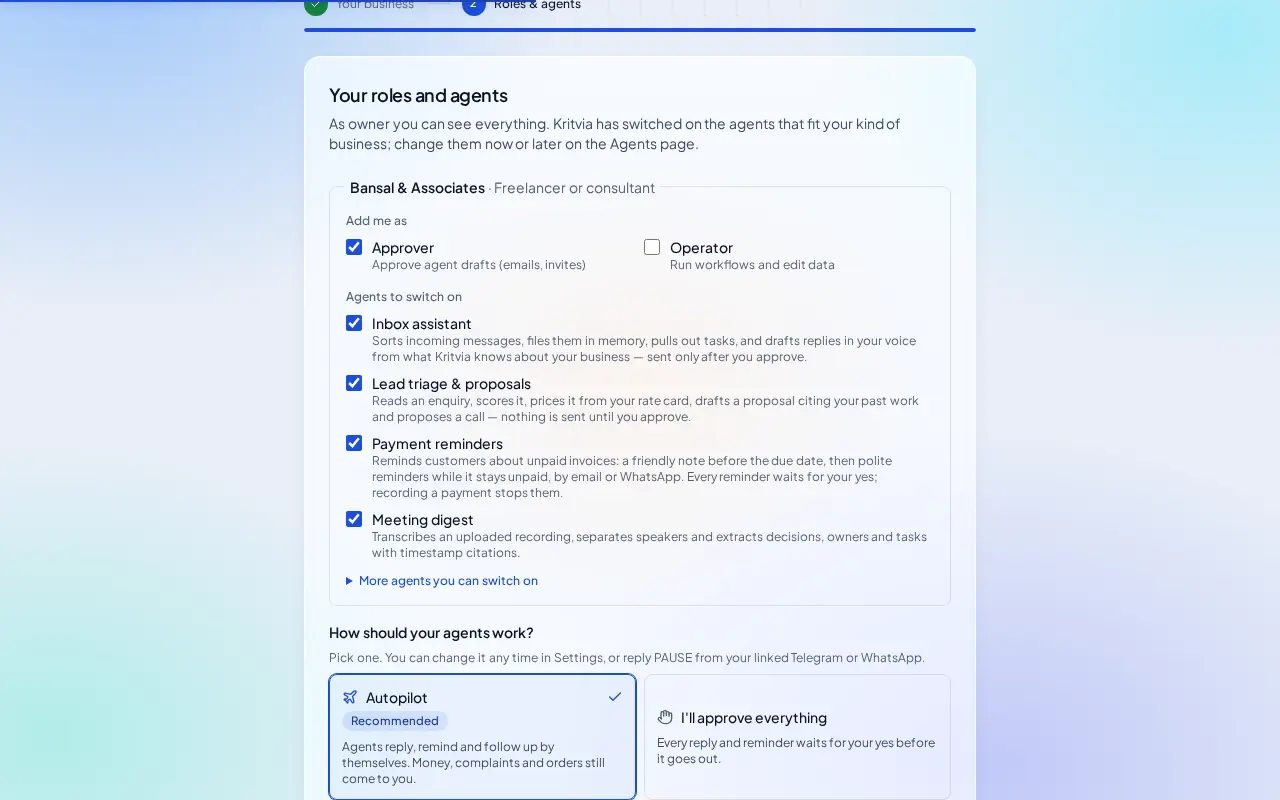
- Inbox assistant, Lead triage & proposals, Payment reminders and Meeting digest. Switch on Booking reminders under Agents for consultations.
Then choose Autopilot (agents reply, remind and follow up by themselves; money, complaints and orders still come to you) or I'll approve everything, and click Finish setup.
Set up
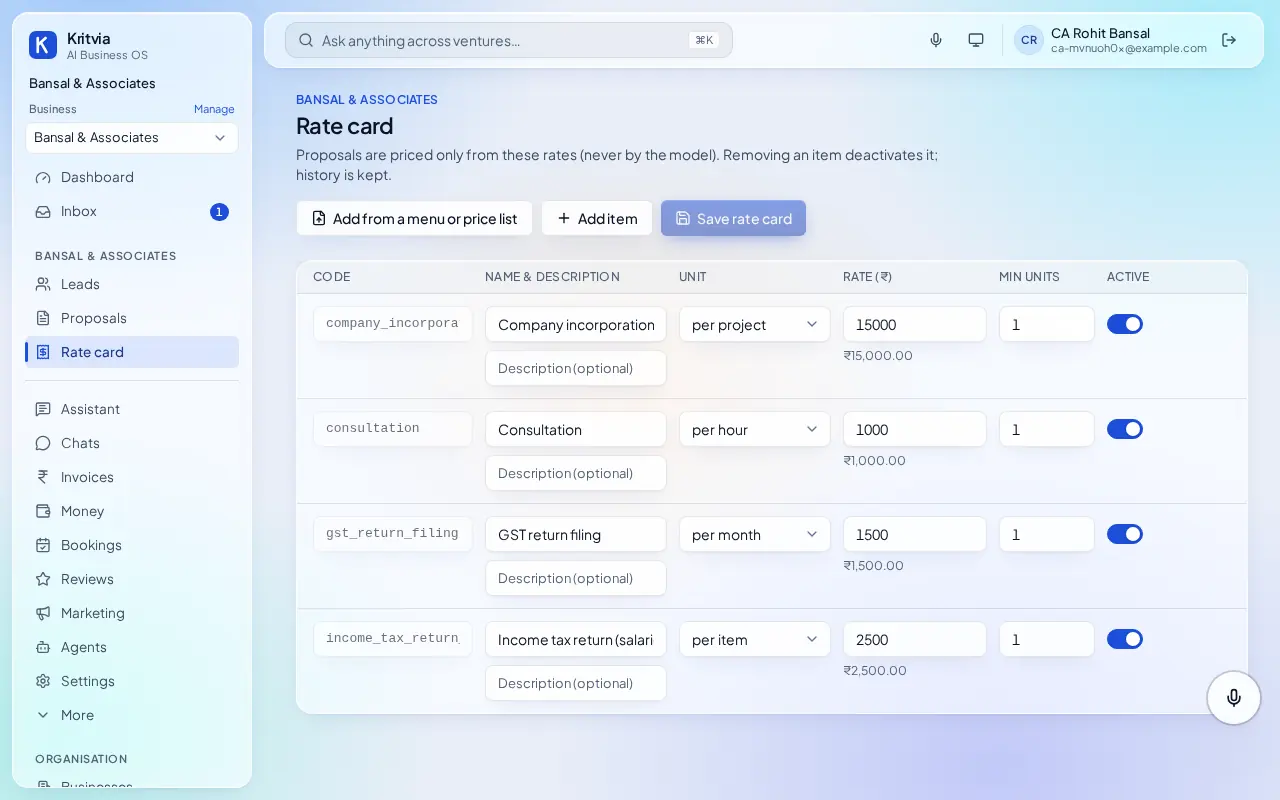
- Rate card: your fees, for example Income tax return (salaried), ₹2,500; GST return filing, per month; Consultation, per hour.
- Bookings → Hours & services: a Consultation service and your office hours.
- GST invoices (Settings → Connectors): your firm's legal name, GSTIN and address for your own tax invoices.
- Knowledge: your engagement letter and the list of documents you ask clients for, so replies quote them.
- Getting paid (Settings → Connectors → Getting paid): enter your UPI ID so every invoice gets a payment page.
- Set up your phone and invite your team as in the general guide.
Every day
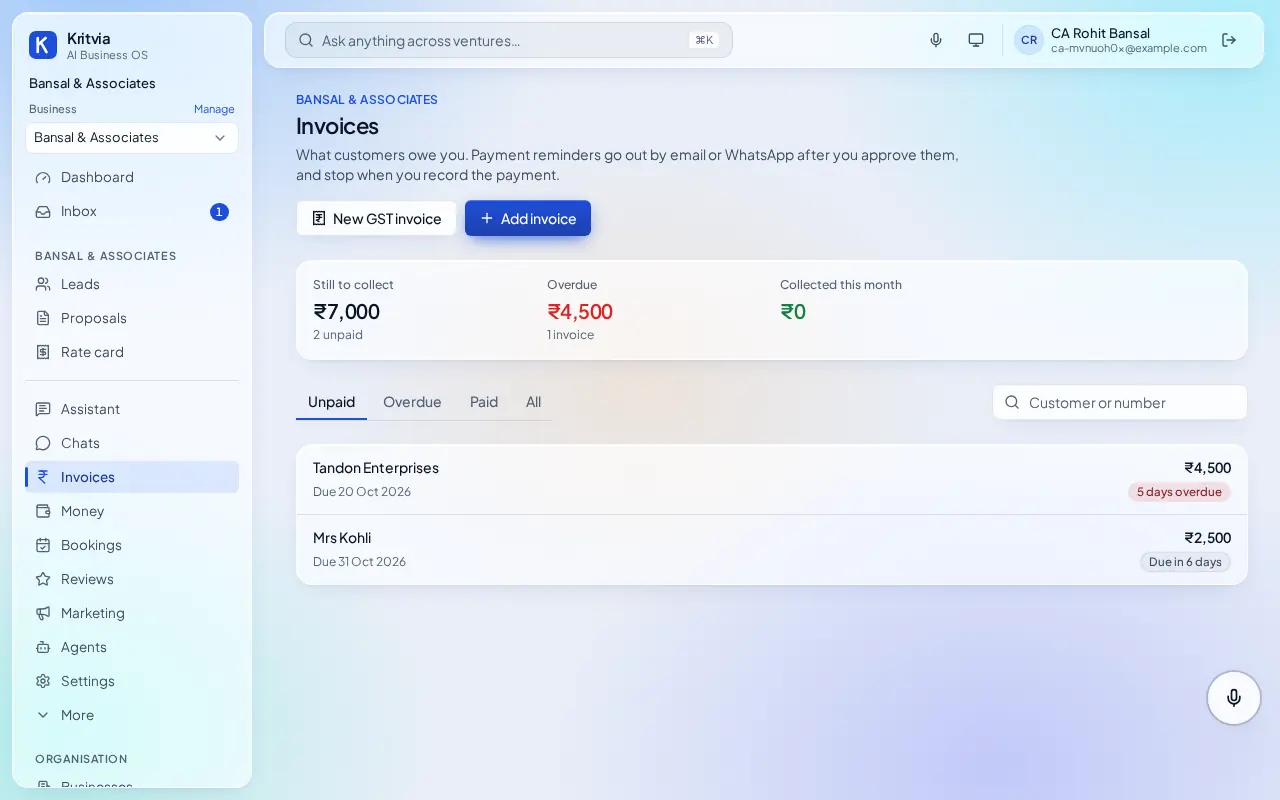
- Invoices shows fees due and overdue; reminders go out after your yes.
- Bookings lists consultations; clients get a reminder the day before.
- Ask the assistant which clients owe fees for more than 30 days?
Which plan you need
Everything here works on the trial; Starter adds WhatsApp.
Good to know
- Kritvia handles your practice's own enquiries, bookings and fees; it doesn't file returns for your clients.
Next: Kritvia for lawyer