Kritvia for exporter
Merchant and manufacturer exporters
Every consignment gets one file with its documents, dates, money and buyer updates, and each morning you see the cut-offs, LC dates and payments due.
Pick this at sign-up
- Start your free trial at app.sitelytc.com (see Set up your business, step by step for sign-up).
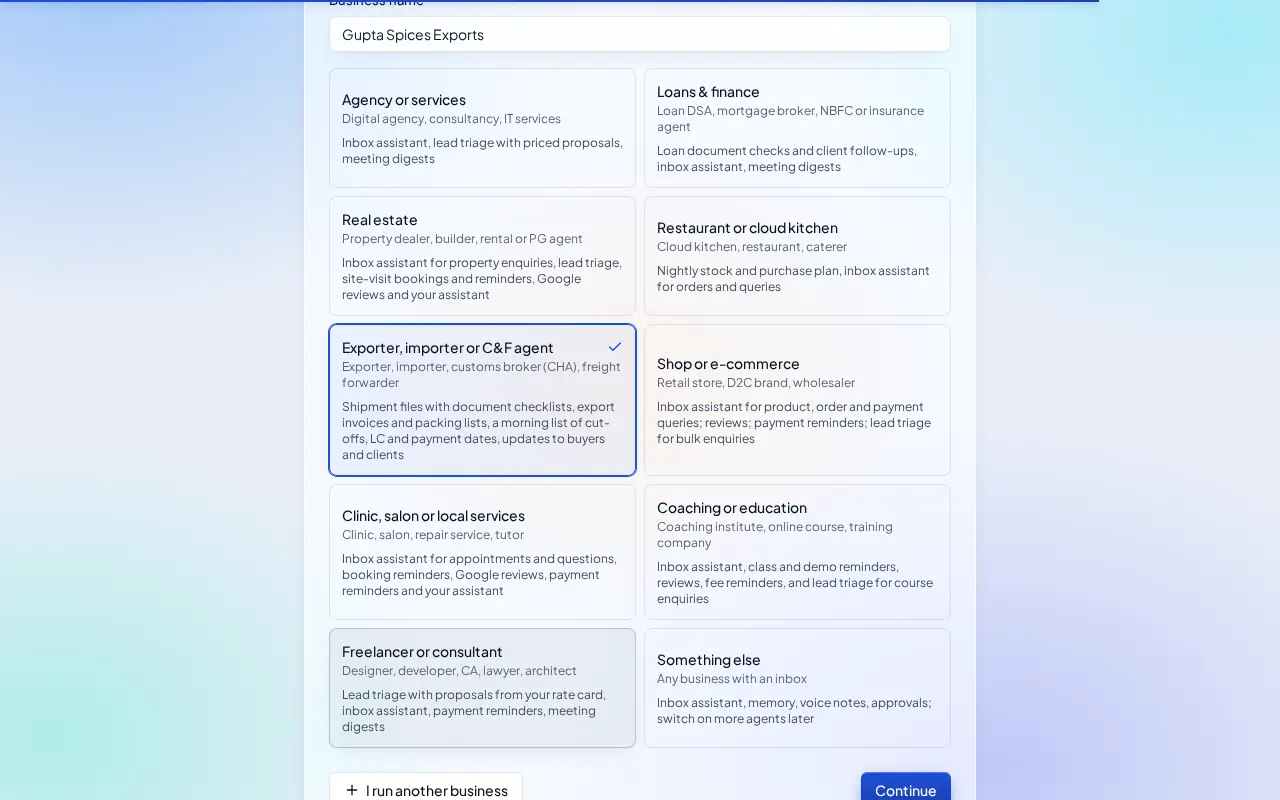
- Type your business name.
- Pick the Exporter, importer or C&F agent card and click Continue.
What switches on
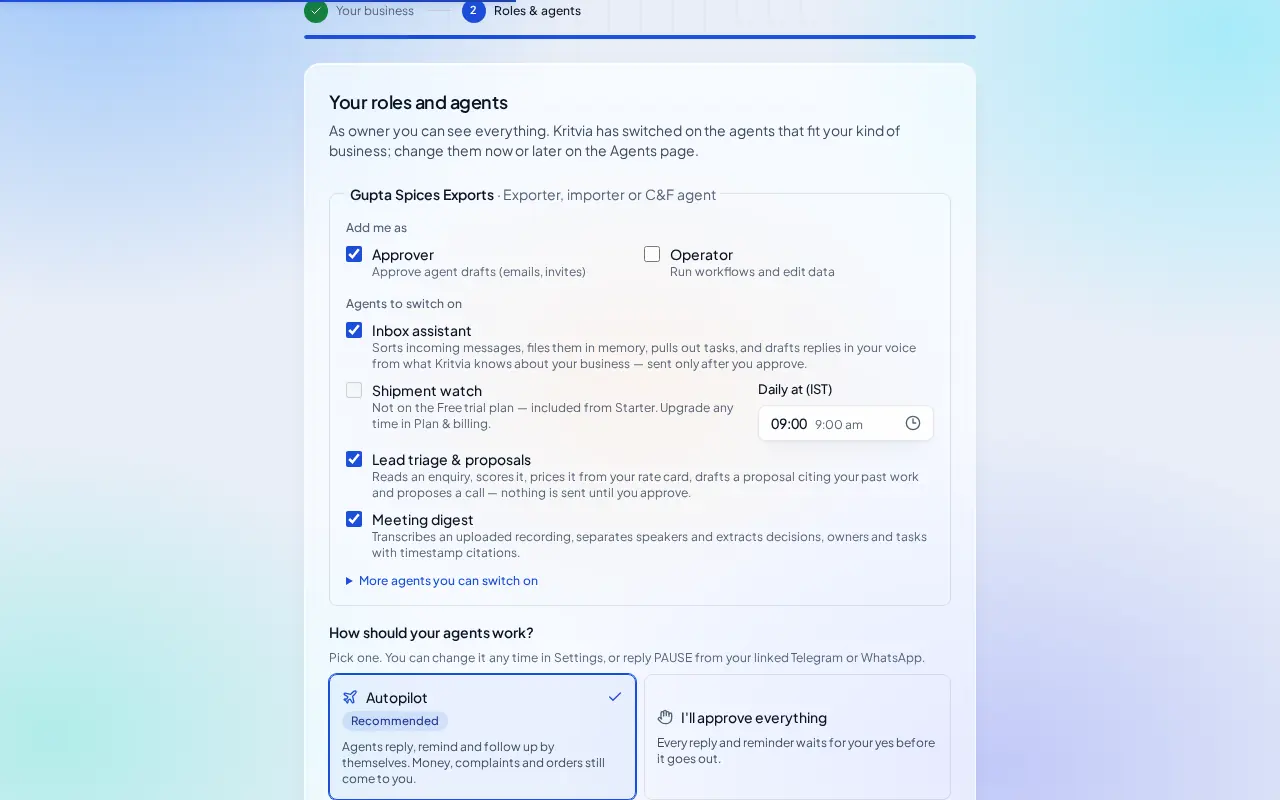
- Inbox assistant: answers buyers with prices from your rate card, with the Incoterm, and asks for the file or BL number on shipment questions.
- Shipment watch (from Starter): a morning list of cut-offs, sailing dates, LC expiry, last shipment dates and export proceeds to be realised.
- Lead triage & proposals: scores buyer enquiries and drafts quotes.
- Meeting digest: notes from buyer calls.
Then choose Autopilot (agents reply, remind and follow up by themselves; money, complaints and orders still come to you) or I'll approve everything, and click Finish setup.
Set up
- Trade profile: your IEC, address, AD code, LUT and bank details; they print on every export invoice and packing list.
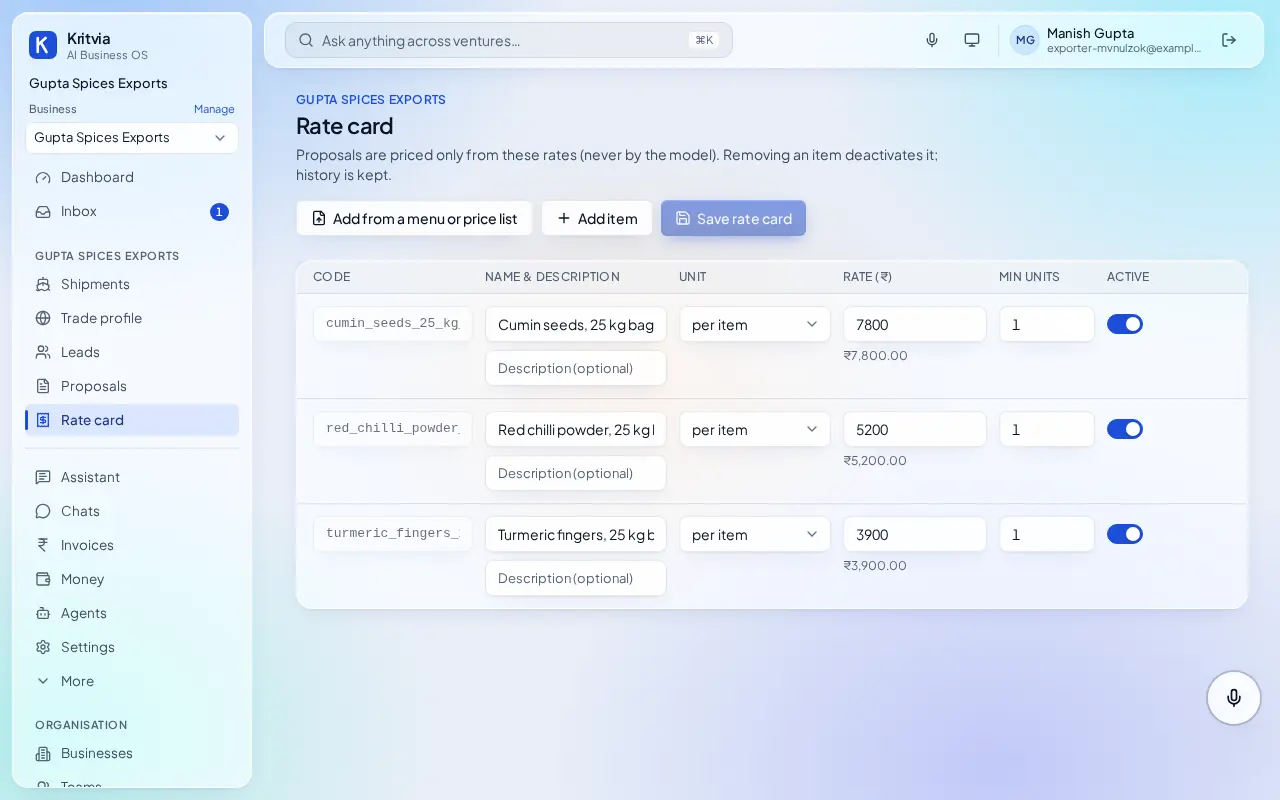
- Rate card: your products with the price basis, for example Turmeric fingers, 25 kg bag (FOB Mundra).
- Shipments → New file: the buyer and country, ports, mode, Incoterm, currency and value, payment terms (advance, LC, DP, DA) and the dates you know (ETD, cut-off, LC expiry).
- Tick off documents in the file as they're ready; print the export invoice and packing list from it.
- Set up your phone and invite your team as in the general guide.
Every day
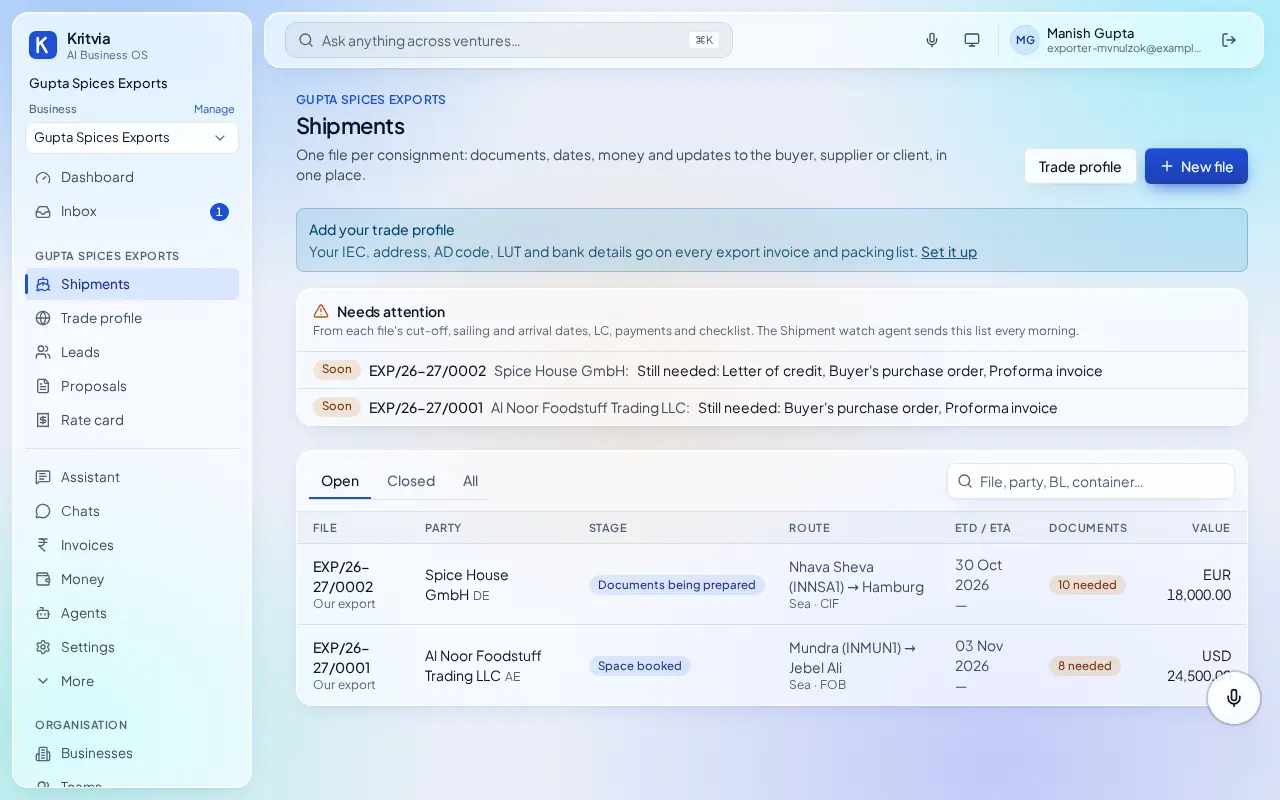
- Shipments shows each open file, its stage and the documents still needed; Needs attention lists what's due soon.
- Buyer status updates are drafted for your yes.
- Track export proceeds against the realise-by date.
Which plan you need
Shipment files work on every plan; the morning shipment watch and WhatsApp need Starter or above.
Good to know
- Kritvia keeps your files and reminds you; filing shipping bills, LUT and e-BRC stays with you and your CHA.
Next: Kritvia for importer