Kritvia for clinic
Doctors, dentists, physiotherapists, diagnostic centres
Patients book appointments in the chat, get a reminder the day before, and happy patients are asked for a Google review. The assistant never gives medical advice.
Pick this at sign-up
- Start your free trial at app.sitelytc.com (see Set up your business, step by step for sign-up).
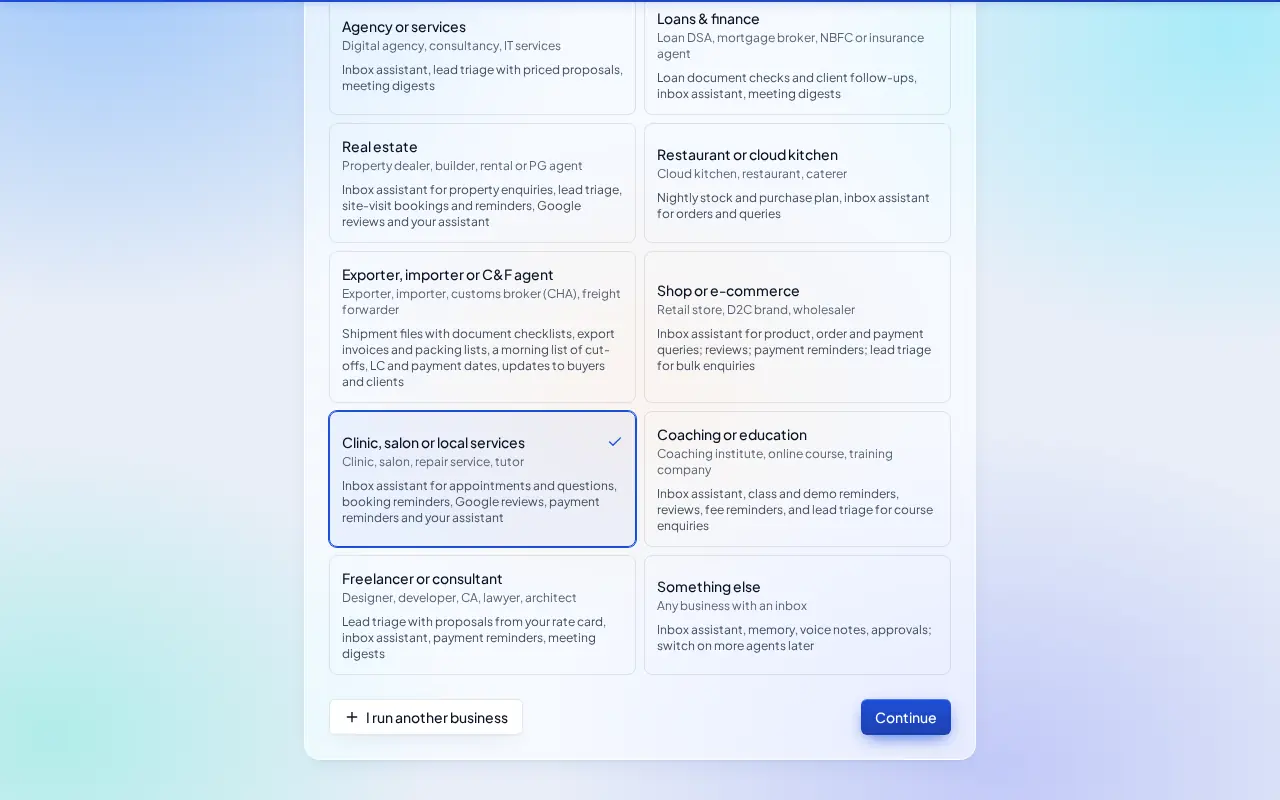
- Type your business name.
- Pick the Clinic, salon or local services card and click Continue.
What switches on
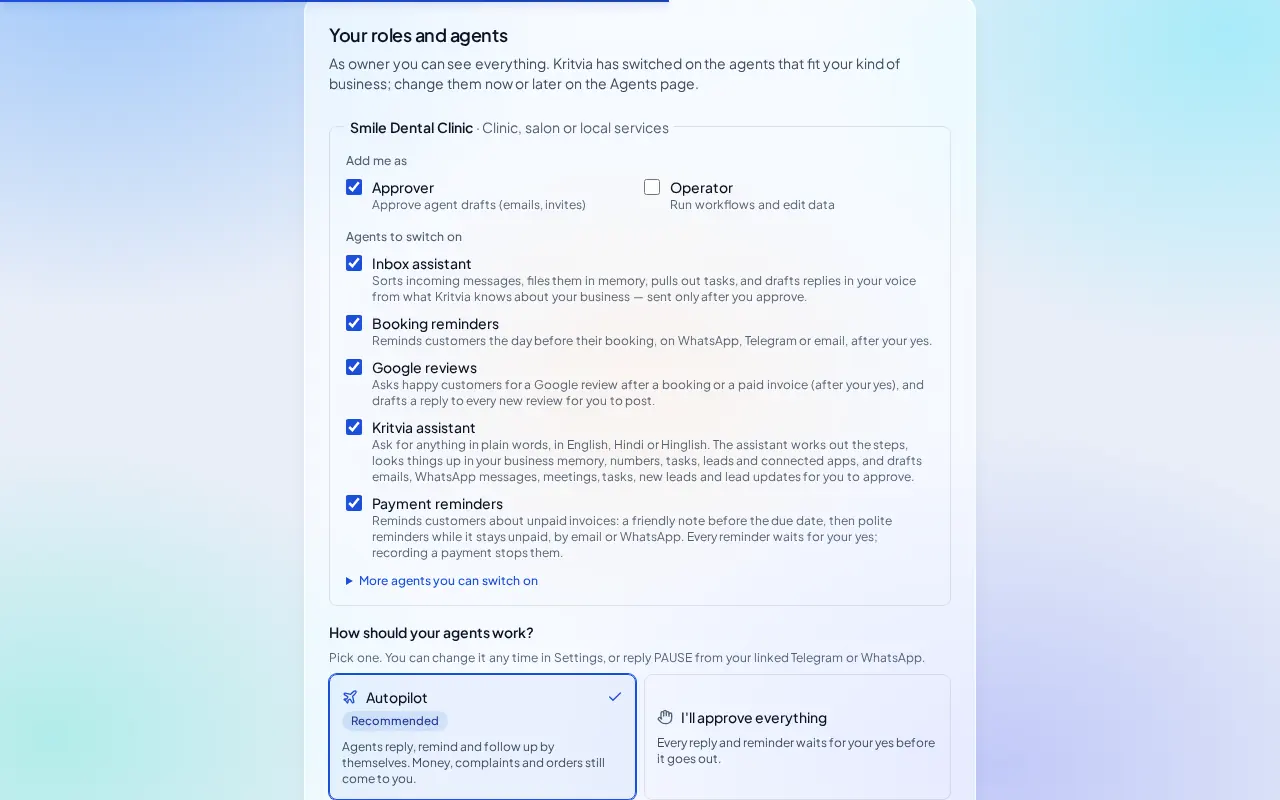
- Inbox assistant: handles appointment requests and questions about timings and fees. It never gives medical advice.
- Booking reminders: reminds each patient the day before.
- Google reviews, Payment reminders and Kritvia assistant.
Then choose Autopilot (agents reply, remind and follow up by themselves; money, complaints and orders still come to you) or I'll approve everything, and click Finish setup.
Set up
- Bookings → Hours & services: your clinic hours (up to two spans a day, for a break) and each service with its length and fee, for example Consultation, 30 minutes, ₹500.
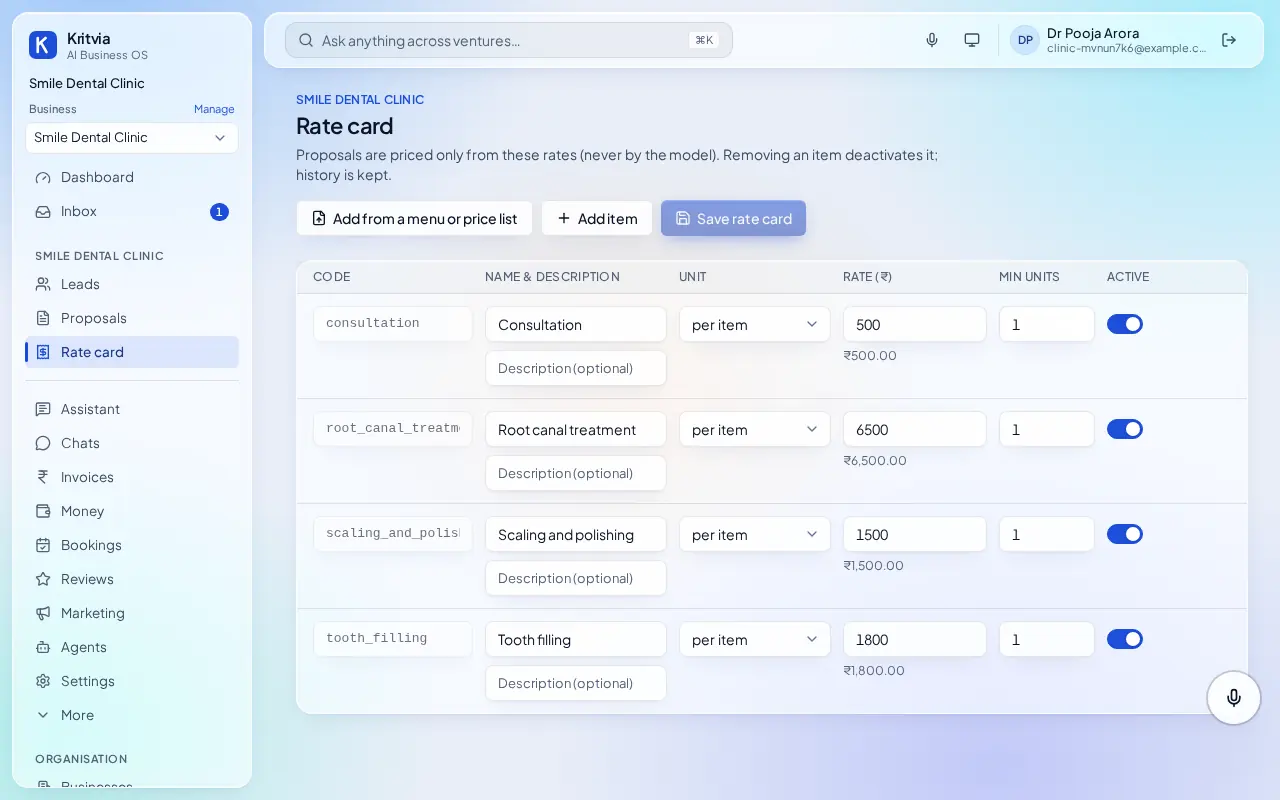
- Rate card: your treatment fees, so replies quote only these.
- Connect WhatsApp (Settings → Connectors → WhatsApp Business): log in with Facebook and pick your number; the WhatsApp Business app keeps working on your phone.
- Getting paid (Settings → Connectors → Getting paid): enter your UPI ID so every invoice gets a payment page.
- Set up your phone and invite your team as in the general guide.
Every day
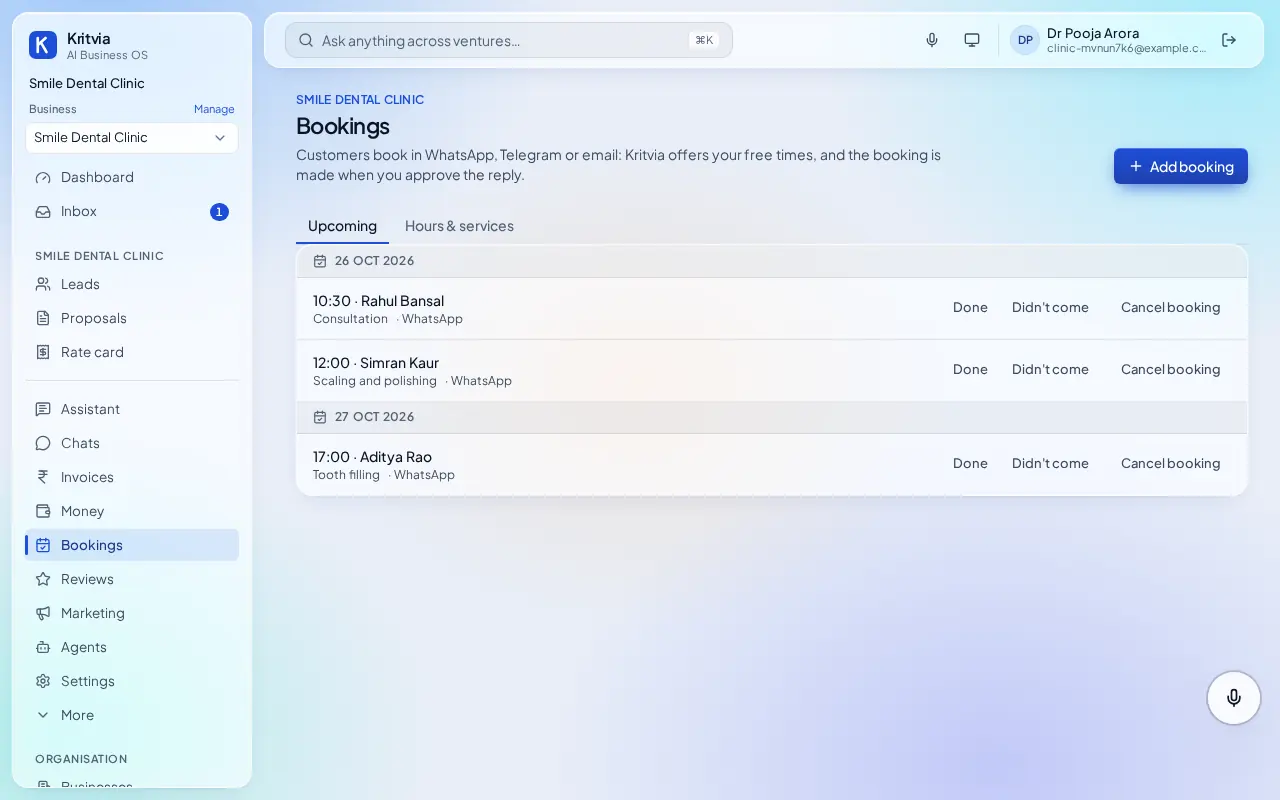
- Bookings lists today's and upcoming appointments; mark each Done or Didn't come.
- Patients asking for a time get two or three free slots; the booking is made when you approve the reply.
- After a visit, happy patients get a review request (never twice in 90 days).
Which plan you need
Bookings, reminders and reviews on every plan; WhatsApp and Google Calendar from Starter.
Good to know
- Keep medical records in your clinic software; use Kritvia for appointments, reminders, reviews and payments.
Next: Kritvia for salon