Kritvia for agency or service provider
Digital, marketing and IT agencies, consultancies, studios
Every enquiry is scored and priced from your own rate card, and a proposal with a call invite is drafted for your yes within minutes.
Pick this at sign-up
- Start your free trial at app.sitelytc.com (see Set up your business, step by step for sign-up).
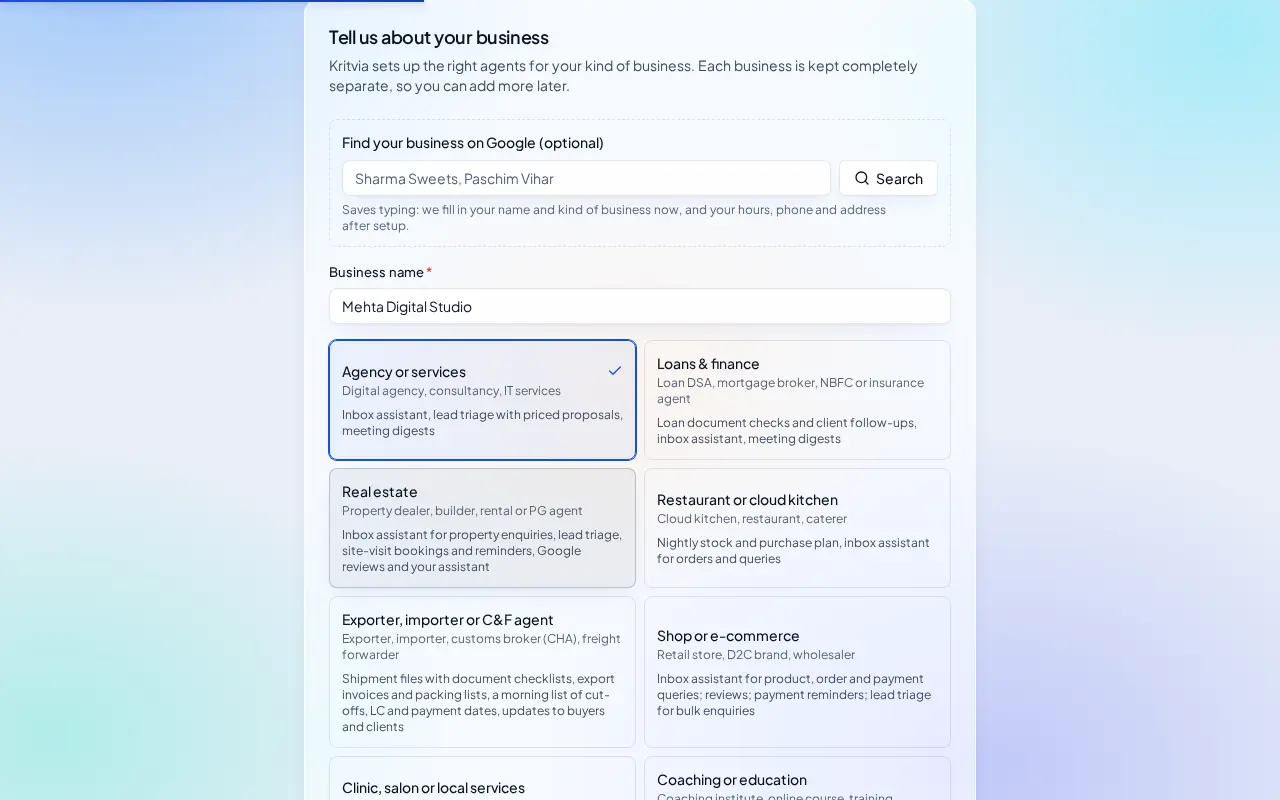
- Type your business name.
- Pick the Agency or services card and click Continue.
What switches on
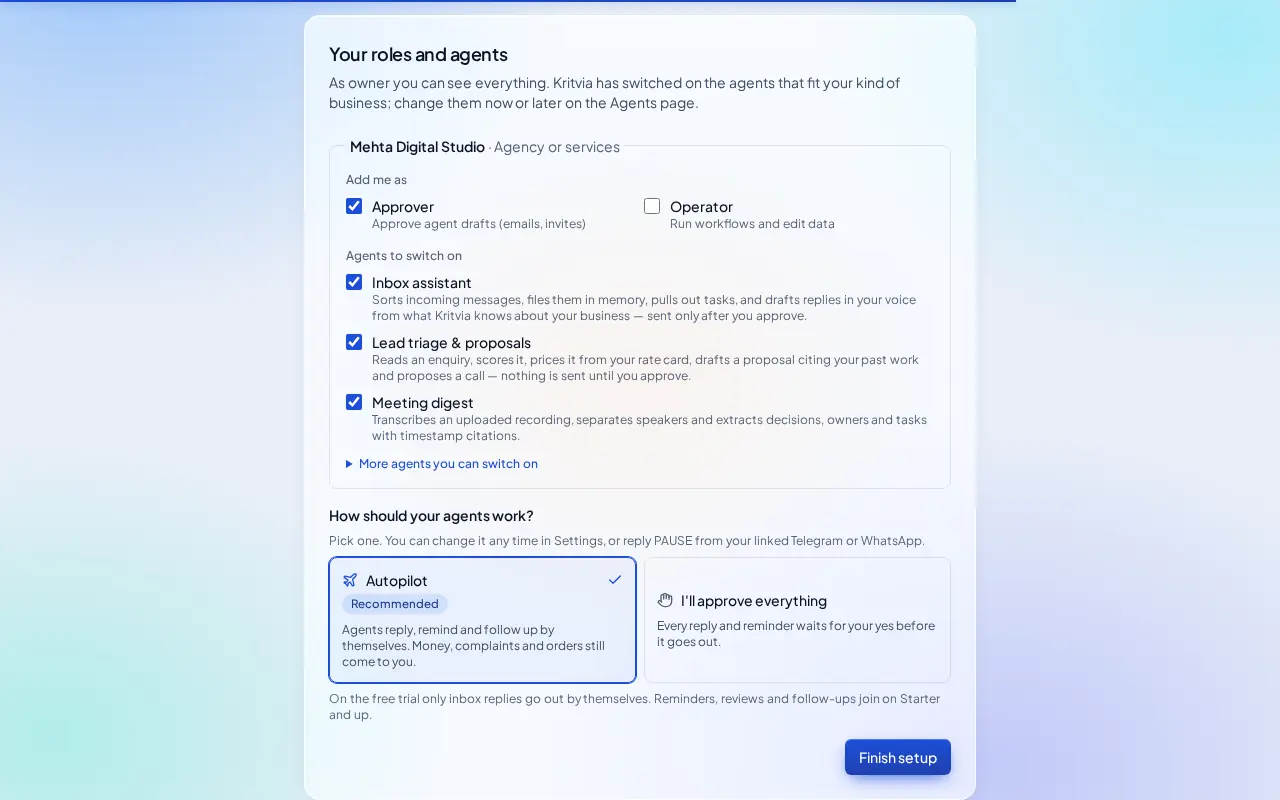
- Inbox assistant: sorts every email and WhatsApp message and drafts replies in your voice.
- Lead triage & proposals: scores each enquiry, prices it from your rate card by code, and drafts a proposal that cites your past work, plus a discovery-call invite.
- Meeting digest: upload a client call and get the decisions, owners and tasks.
Then choose Autopilot (agents reply, remind and follow up by themselves; money, complaints and orders still come to you) or I'll approve everything, and click Finish setup.
Set up
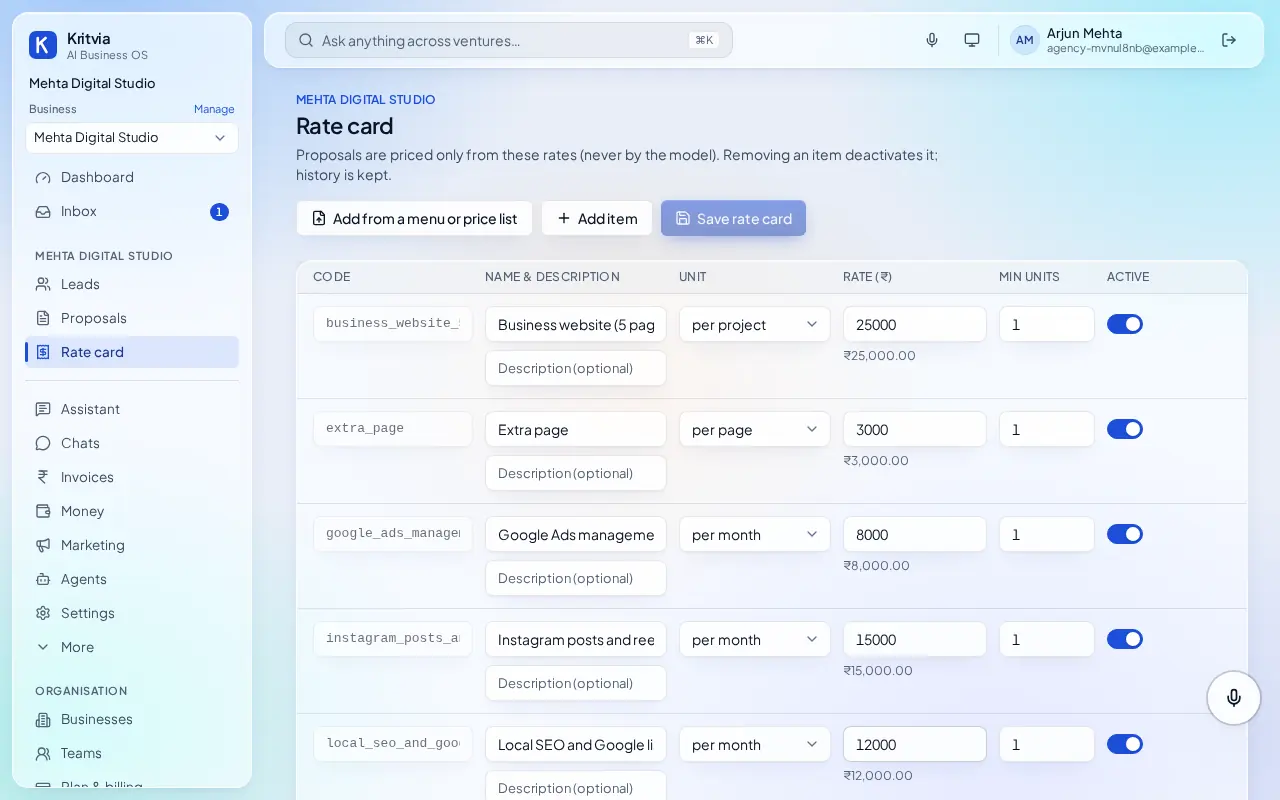
- Rate card: add each service with its unit, for example Business website (5 pages), per project, ₹25,000; Extra page, per page; Local SEO, per month. Use Add from a menu or price list to read them from a PDF, spreadsheet or your pricing page.
- Connect Gmail (Settings → Connectors → Connect Google) so enquiries come in and proposals go out from your address.
- Your website's contact form: Settings → Connectors → Create webhook, then send form submissions to it (directly, or through Zapier or Make). Each one becomes a scored lead.
- Knowledge: upload two or three past proposals and case studies; drafts quote them.
- Agents → Lead triage & proposals → Instructions: write how you work, for example we only take projects above ₹50,000 or always offer a 15-minute call.
- Set up your phone and invite your team as in the general guide.
Every day
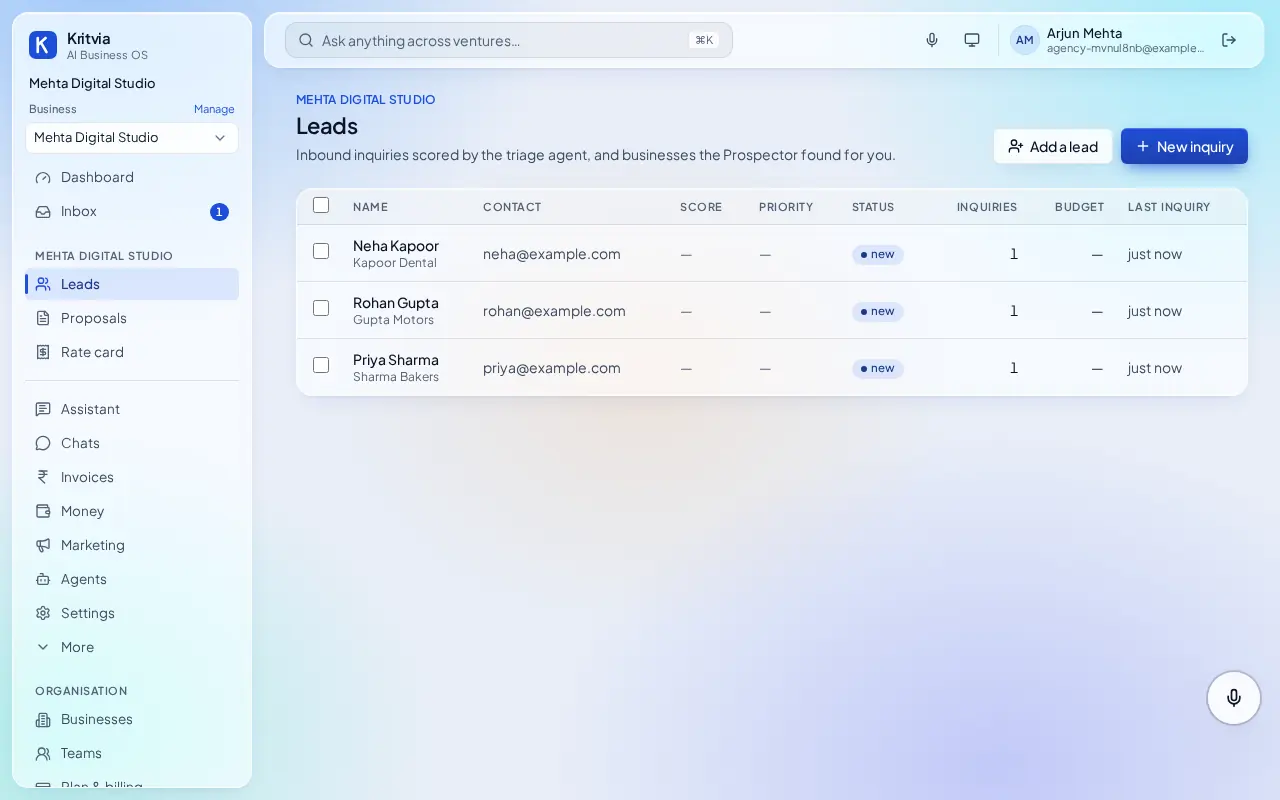
- New enquiries appear under Leads, marked hot, warm or cold, with a proposal waiting in Inbox.
- Leads that go quiet get a follow-up draft.
- After a project, raise an invoice under Invoices; payment reminders go out after your yes.
Which plan you need
The trial covers email, the website form and 10 proposals. Starter adds WhatsApp and Google Calendar; Growth adds the Prospector to find new clients on Google Maps.